
- For iPhone
-

- For Android
-


The Tokyo Water App is
useful in a variety of situations!
Choose the situation that applies to you.




-
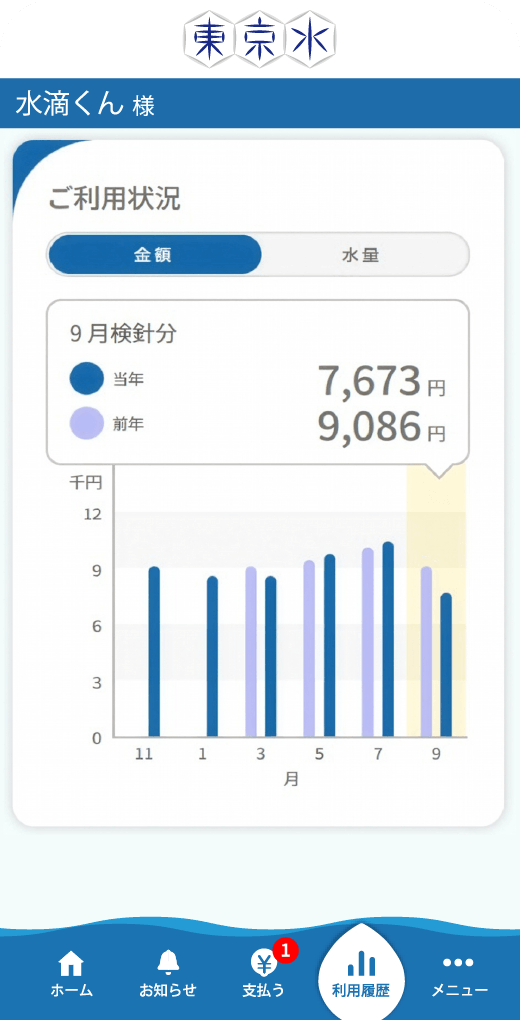
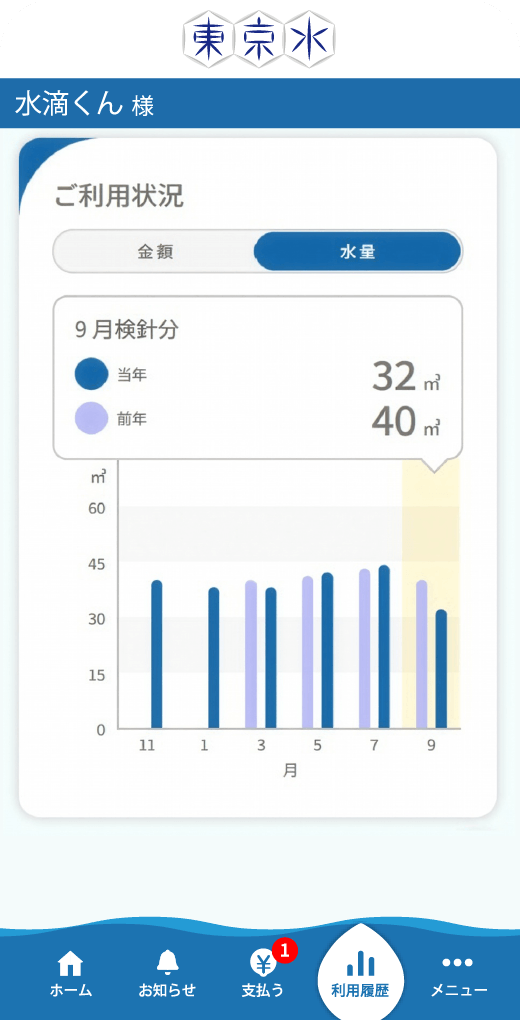
●Compare your water bills and usage with past records!
-
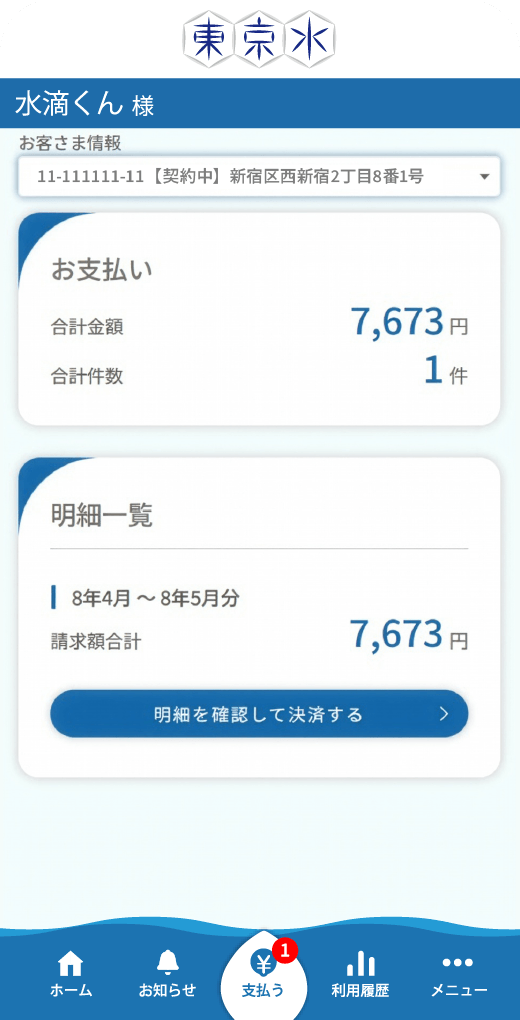
●Manage your water service without paper meter-reading slips!
-
●View a detailed breakdown of your daily water usage!
(Available only for customers with a smart meter)




-
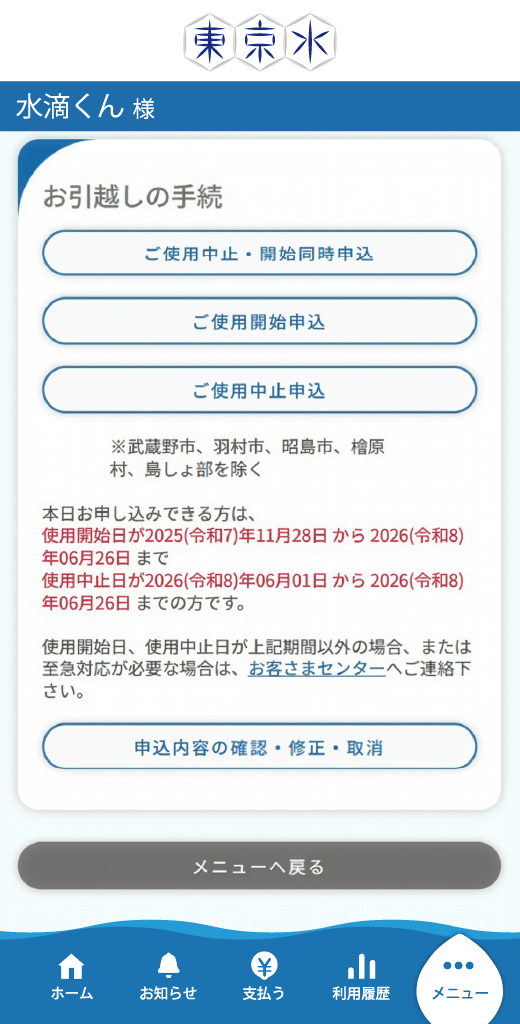
●Apply to start or stop water service directly from your smartphone!
-
●Complete procedures anytime, 24/7!
-
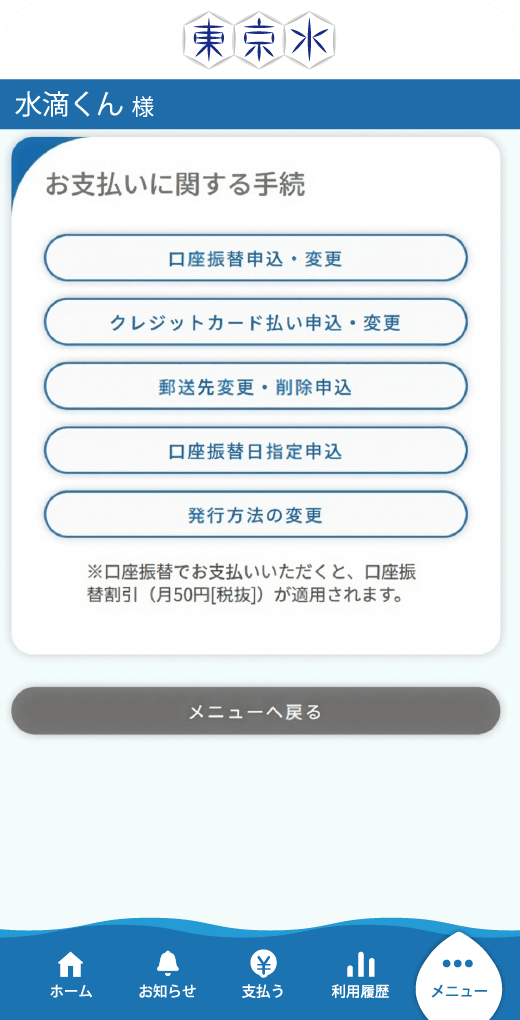
●Easily update your payment method!



-
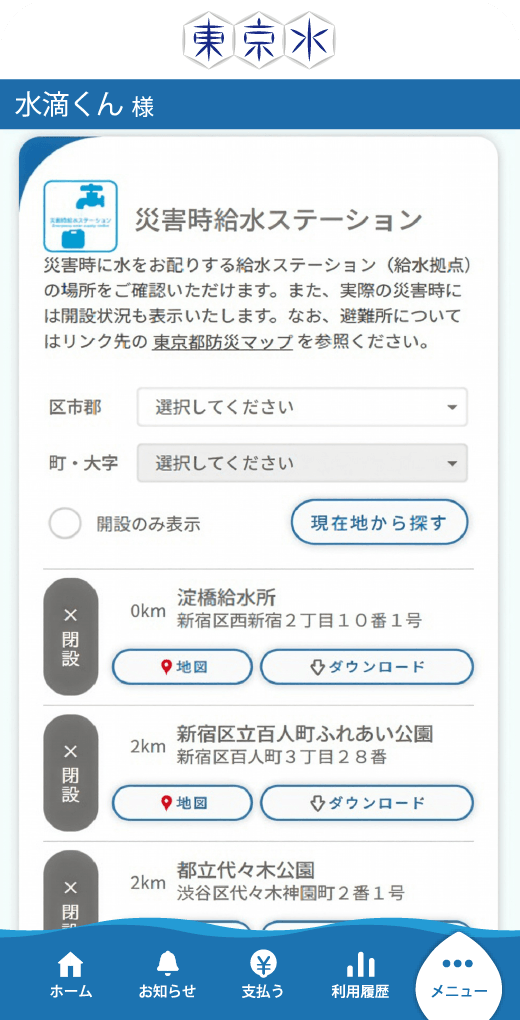
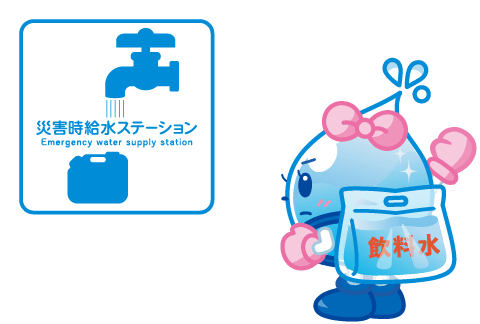
●Use GPS to locate your nearest emergency water supply station!
-
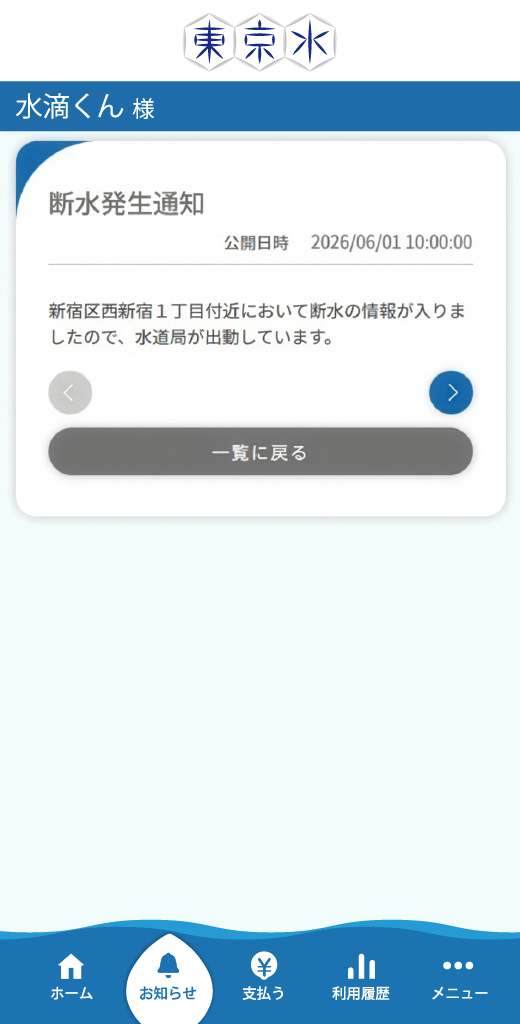
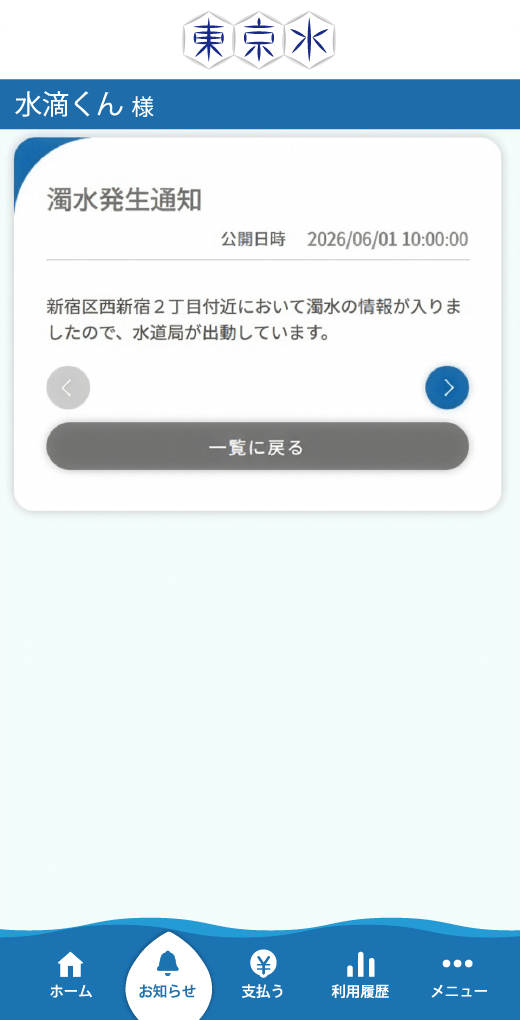
●Receive notifications about water outages and discolored water caused by accidents!
(For large-scale incidents only)
-
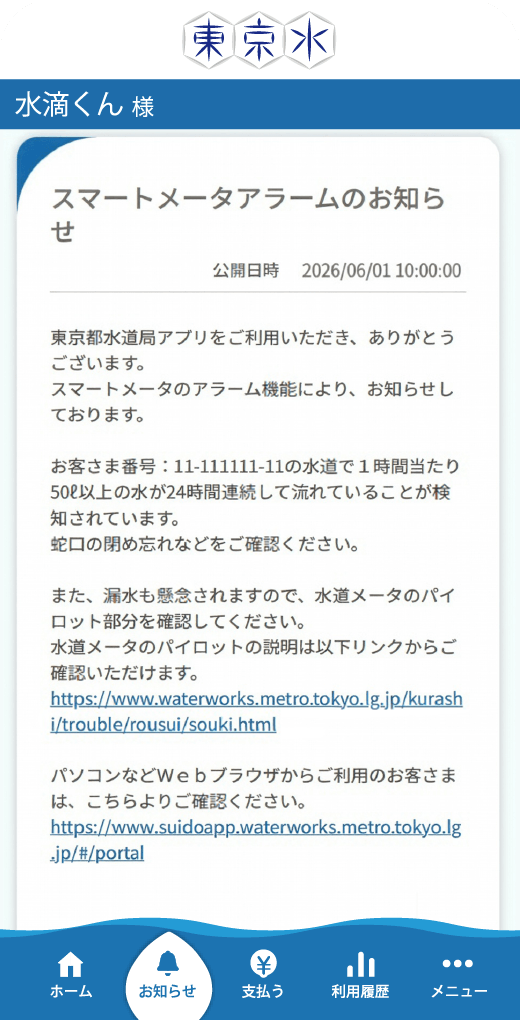
●Receive alerts when a possible water leak is detected!
(Available only to customers with a smart meter)

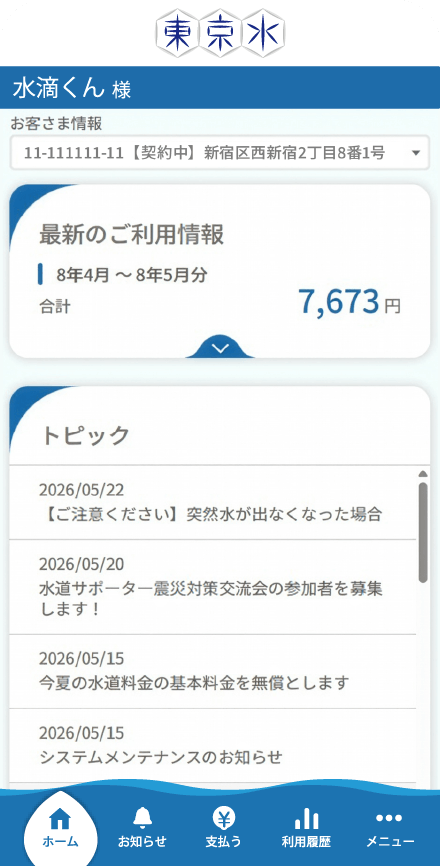
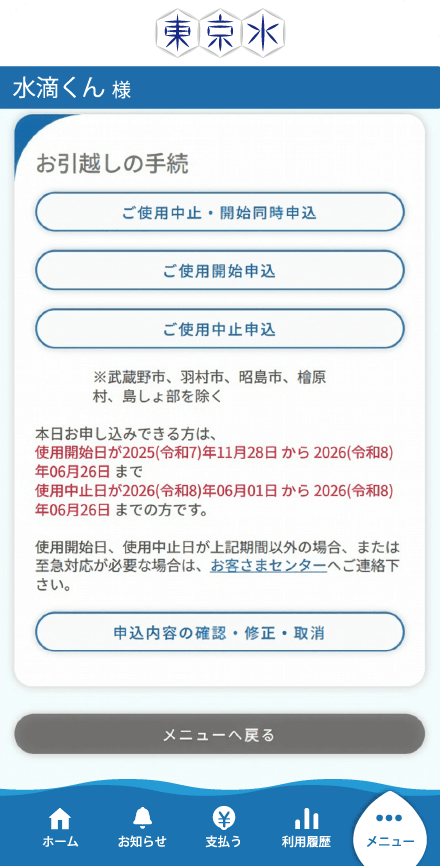
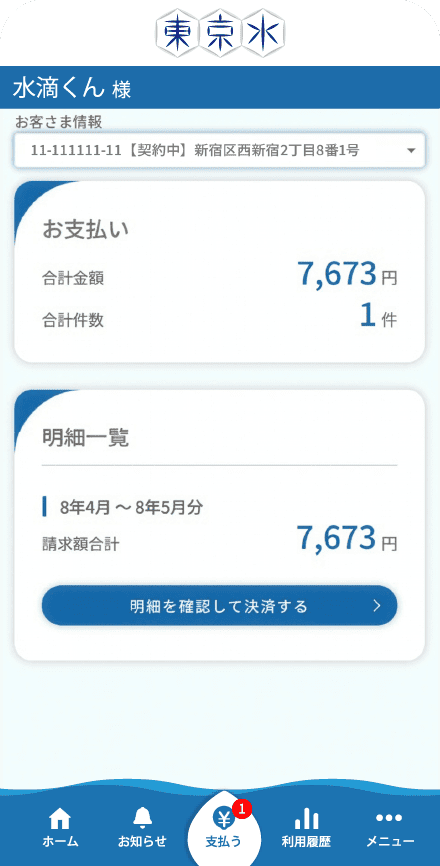
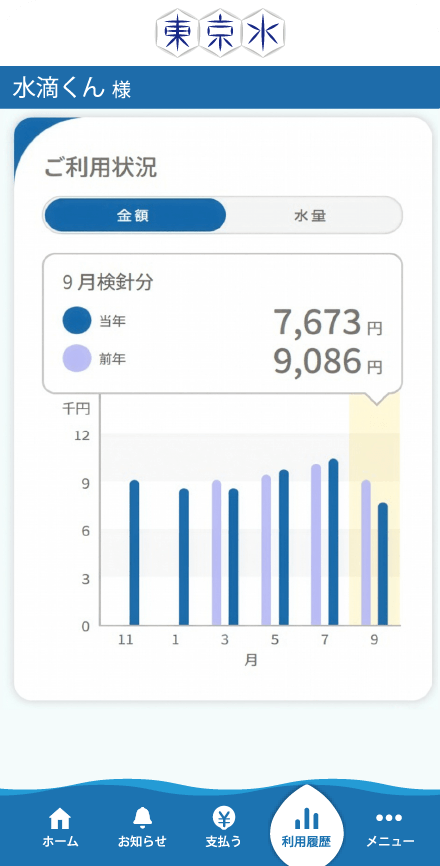
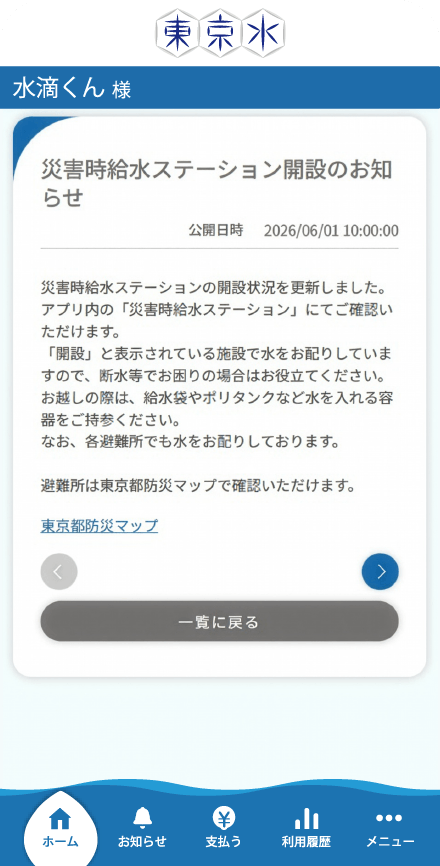
Four Features of the
Tokyo Water App
Make managing your water service easier and more convenient with the App!
Quickly and easily complete various procedures from your smartphone!
What You Can Do with the App
-
●Apply to start service
-
●Apply to stop service
-
●Apply to stop and start service at the same time
-
●Register, change, or delete your billing address, etc.
-
●Apply for direct debit
-
●Apply for credit card payments
-
●Choose your direct debit payment date

Now supports one-time credit card payments and smartphone payments!
Payment methods available in the App
-
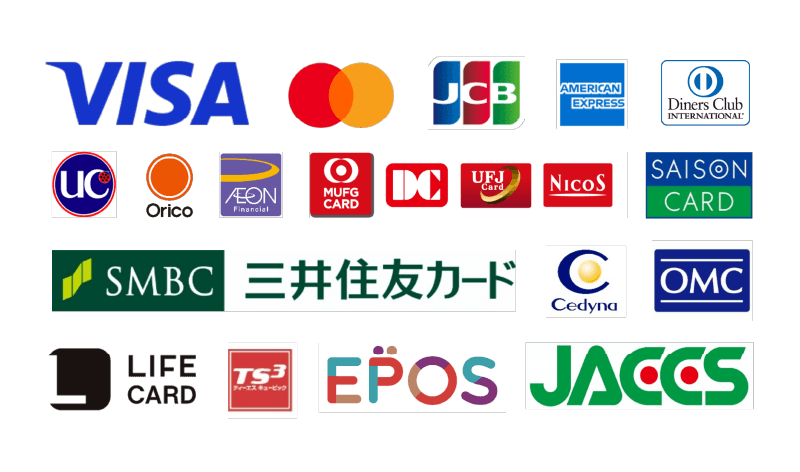
●Credit card payments (one-time payment)
-
*As a general rule, bills are issued electronically. Cash payment is not available for electronically issued bills. (If you wish to pay in cash, please select the option to receive a paper bill in the App.)
-
*If you are currently using direct debit or recurring credit card payments, your existing payment method will remain unchanged after you start using the App.
-
-
●Mobile payments (one-time payment)
*As of July 2026


Check your meter reading slips, water usage, and charges in the App!
-
●Meter reading slips are delivered electronically through the App instead of on paper
-
*Meter reading slips and direct debit payment notices delivered through the App can be downloaded as PDF or CSV files (up to the past two years).
-
*If you prefer to receive a paper meter reading slip, you can select that option in the App.
-
-
●View up to two years of your water usage and charges in easy-to-read graphs.
-
●View your water usage by day, month and more
-
*Available only for customers with a smart meter. (Data is available from approximately 8:00 a.m. the following day)
-

Check important updates from
the Bureau of Waterworks!
-
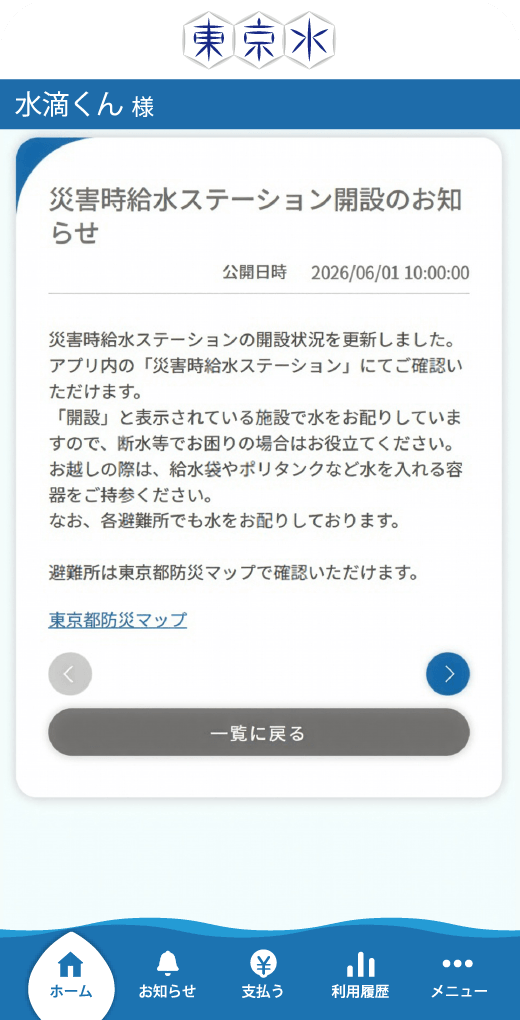
●Locations and operating status of emergency water supply stations (water distribution sites)
-
●Information on water outages, discolored water, etc.
-
●Notifications of suspected water leaks (alerts)
-
*Available only for customers with a smart meter.
-
How to Get Started
with the Tokyo Water App
-
STEP
1
- For iPhone
-
- For Android
-
Click here for download instructions
-
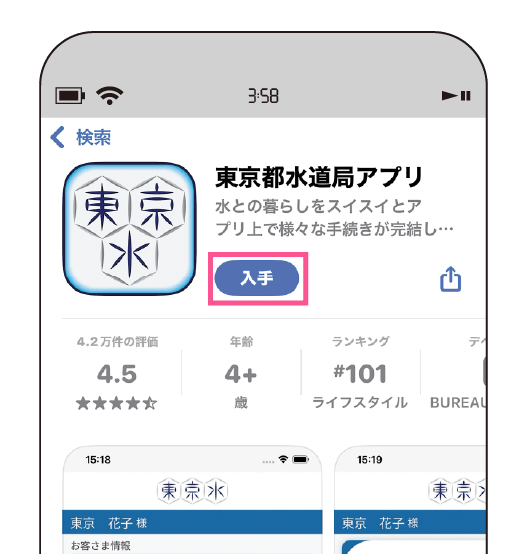
Scan the QR code above,
then tap “install”.Tap the iPhone or Android icon, then tap "install" on the page that opens.
-
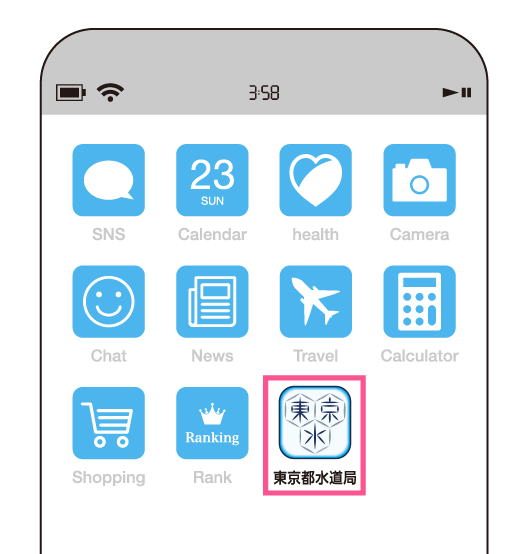
Once the download is complete,
tap the app icon on your Home
screen to launch the app.
-
STEP
2
Choose the button that applies to you
Please select your relationship to the water service contract holder.
Only the water service contract holder can complete this procedure.
Please select your current payment method.
Please have the water service contract holder's own consent
ready, then follow the registration instructions belowPlease have your service start date and either your Customer Number or the address where water service will begin ready, then follow the registration instructions below
Please have the phone number registered with the Waterworks Bureau ready,
then follow the registration instructions belowPlease have the last four digits of your registered bank account number ready,
then follow the registration instructions belowPlease have the last four digits of your registered credit card number ready,
then follow the registration instructions below

Campaign Information

Water Bill Lucky Number Campaign– Round 1
Lucky Number
Announcement!
- 241
- 361
Winners will be selected by random drawing
from among those whose entry number matches the Lucky Number.
winners will receive a notification email at the email address provided when entering the campaign.
Water Bill Lucky Number
Campaign
Round 2 Begins!
- Campaign Period:
-
Tuesday, September 1–
Wednesday, September 30,
11:59 PM
How to enter and campaign overview
-
1
Check your latest water charges!
From the "Home" screen in the Tokyo Water App, check your latest total water charges. The last three digits of your latest water charges are your entry number.
Your entry is valid if your latest usage information shows one of the following billing periods:
・June-July 2026
・July-August 2026
・August-September 2026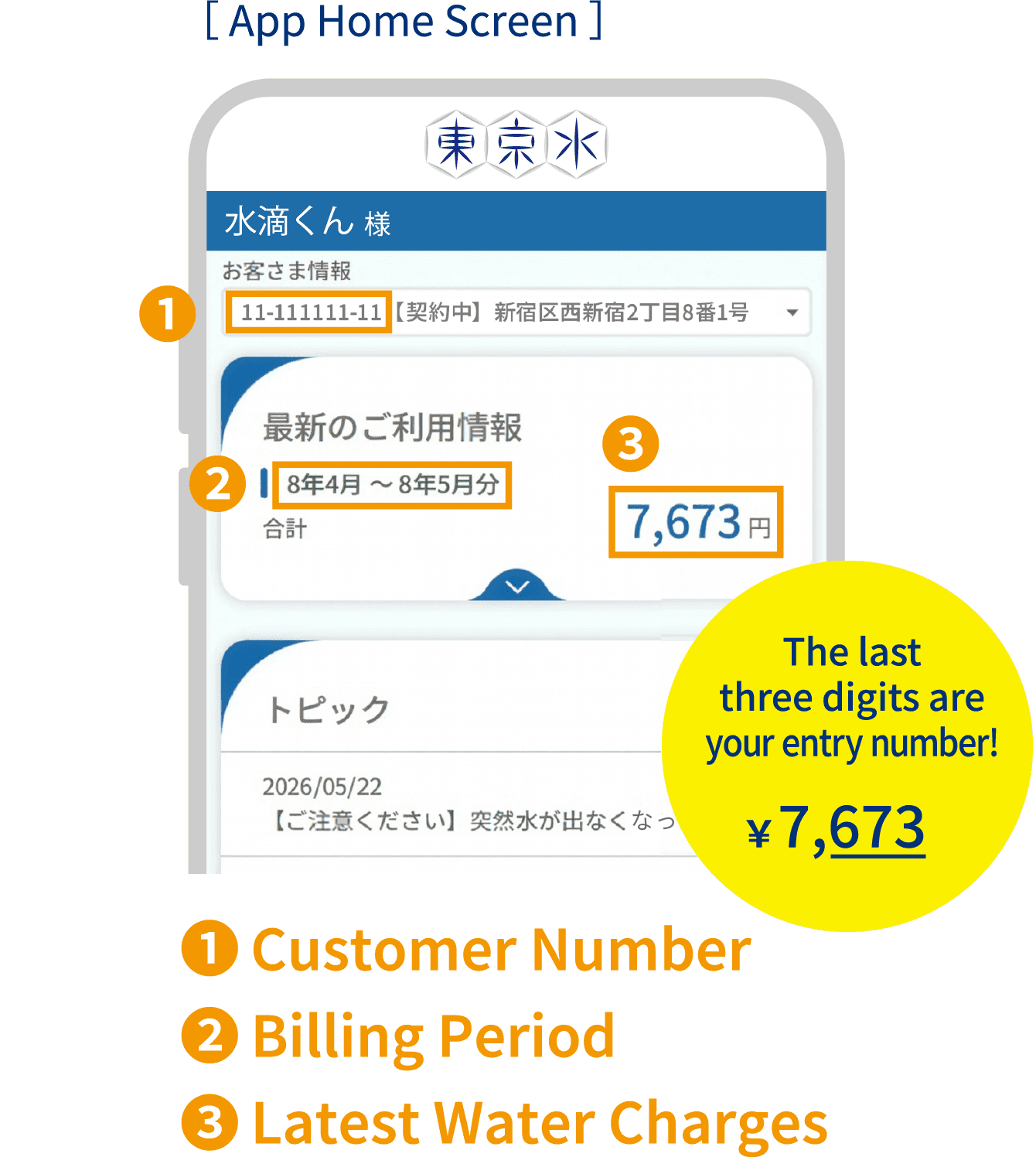
-
2
Enter through the Tokyo Water App !
Go to the entry form using the link in "Notifications" in the Tokyo Water App, then complete the required fields and submit your entry.
*Each person may enter once per campaign.
*Members of the same household may each enter individually, provided each person has downloaded the App.
Complete the survey to finish your entry!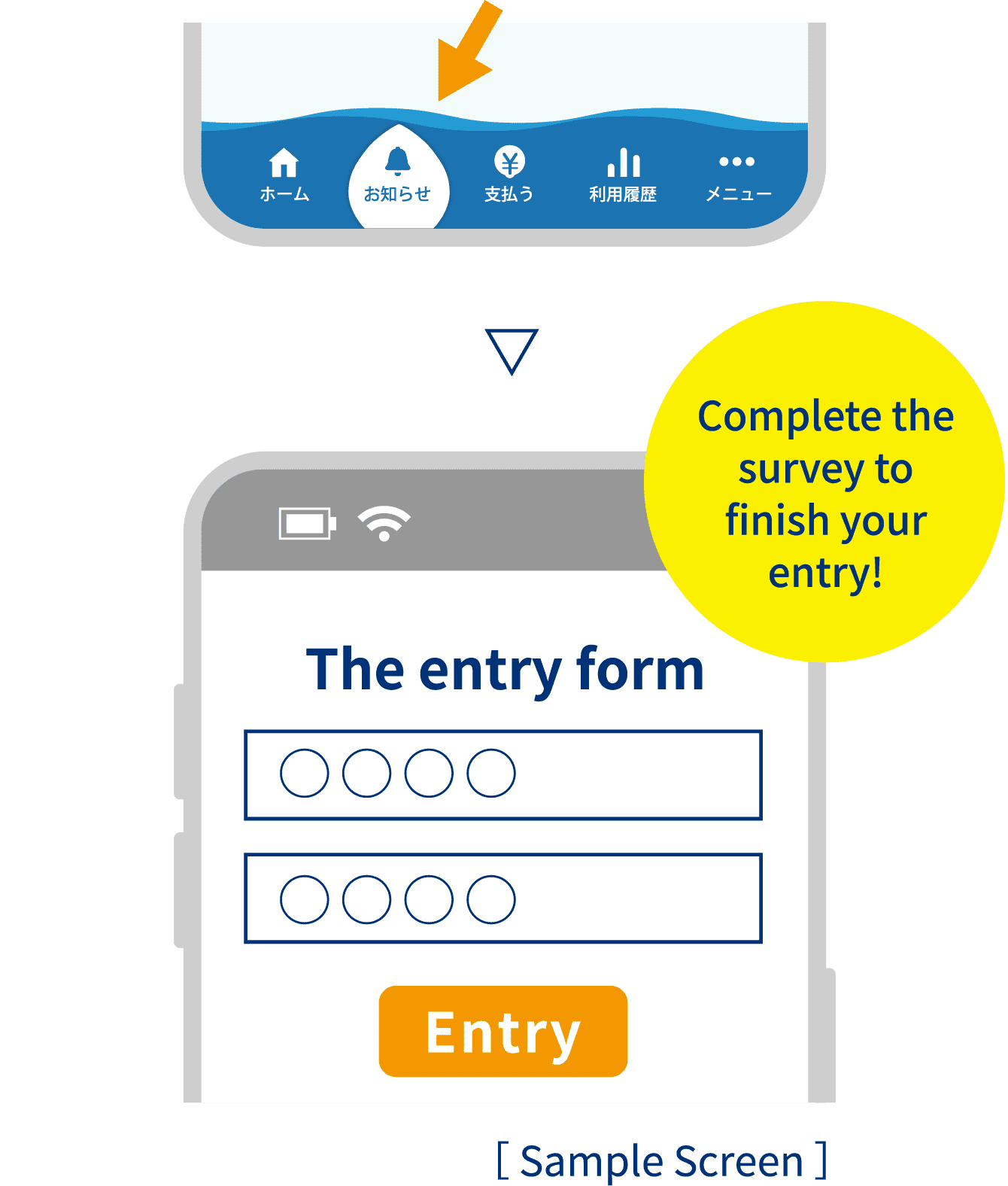
-
3
Lucky Number Announcement & Drawing!
The Lucky Number will be announced on this website at a later date. Winners will be selected by random drawing from among those whose entry number matches the Lucky Number.
Lucky Number
announcement
scheduled forOctober 1(Thu.).After the drawing, winners will receive a notification email at the email address provided when entering the campaign.
Winners are selected by random drawing!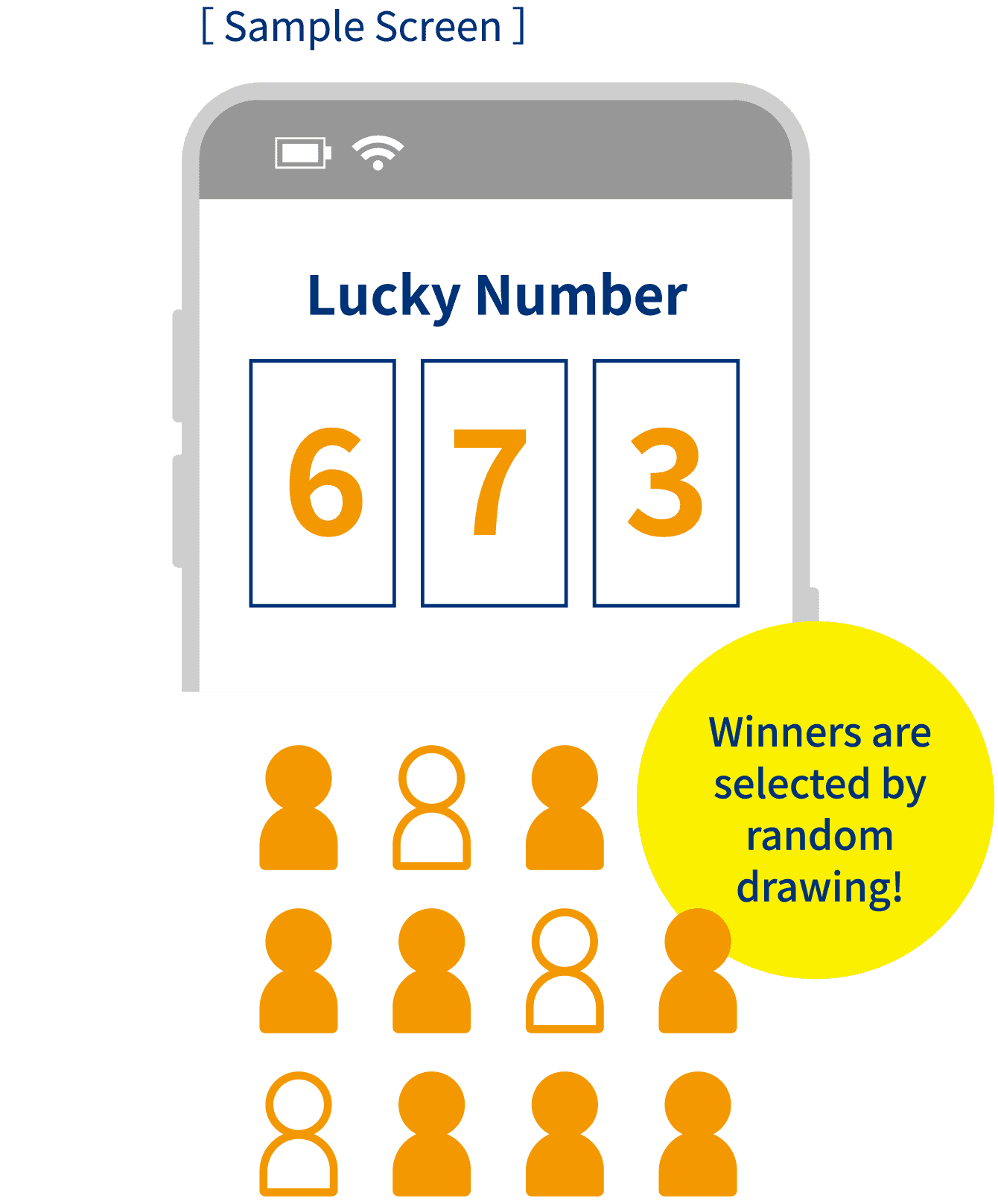


- suido(at)cpdesk.jp
- Hours:
- 10:00 a.m. – 5:00 p.m.
(excluding Saturdays, Sundays, public holidays,
and the year-end/New Year holiday)
*When sending an email, please replace (at) with @.
*Depending on the nature of your inquiry, it may take several business days for us to respond,
Please note that we may be unable
to respond certain inquiries.
Frequently Asked Questions
Q&A on App usage and registration
Can I use the service without installing the App (through the website instead)?
Yes. You can access the same services available in the App through the dedicated website. Click here to visit the website.
Can someone other than the water service contract holder use the App?
Yes. In addition to the water service contract holder, anyone who has the contract holder's consent may use the App. To use the App with the contract holder’s consent, the contract holder must complete user registration in advance.
<Instructional video>(Registration by the water service contract holder)
https://youtu.be/eUGpl0FIoYA
<Instructional video>(Registration by someone other than the water service contract holder)
https://youtu.be/Vt5_KD1BD1E
Can I use the App if the water service contract is under a company or organization name?
Yes. The person responsible for managing the contract should register as the App user on behalf of the company or organization.
When registering, select "Self" for the "Relationship to the water service contract holder."
If your company or organization has multiple water service contracts, you can register information for up to 20 water service contracts (customer numbers) under a single App account.
How can I find my customer number?
Your customer number is the 10-digit number shown on your meter reading slip and other water service documents. Please have your meter reading slip or other relevant document ready and check the number highlighted in red.
I didn't receive the verification code by email or SMS when registering for the App.
[If you did not receive the verification code by email]
If you have enabled email filtering or spam-blocking settings, please make sure that emails from info@tokyo.suidoapp.jp are allowed. If you are using a mobile carrier email address (such as Docomo, au, or SoftBank) and are unable to receive the verification email, please try using a free email service, such as Gmail or Yahoo Mail.
[If you did not receive the verification code by SMS]
If you use the web version of the Tokyo Water App, you can receive the verification code by voice call (to your phone number) instead of SMS (Short Message Service).
Click here to access the web version of the Tokyo Water App.
When registering through the web version, select "Voice" instead of "SMS" on the "Verification code delivery method" screen.
An error code beginning with "E" appeared while I was registering for the App.
[E021-003]
This error may occur if the selected payment method is incorrect, or the last four digits of the bank account number or credit card number you entered do not match the information registered with the Bureau of Waterworks.
*The Customer Center cannot provide information about your registered payment method or your bank account or credit card number. However, if you contact us as the contract holder, we can confirm whether the number you provide matches our registered records.
If you use Japan Post Bank, please enter the last four digits of the account number shown in your passbook.
[E021-008]
This error occurs because no telephone number is registered with the Bureau of Waterworks for your account. Please contact the Customer Center to register your telephone number.
Please note that it may take some time for updated information to be reflected in the Tokyo Water App. You will be able to complete a new registration or add a customer number from 8:00 a.m. on the next business day (excluding Sundays and public holidays) after contacting the Customer Center.
[E021-009]
This error occurs because the telephone number you entered does not match the telephone number registered with the Bureau of Waterworks. Please check your telephone number and try again. If you are unsure which telephone number is registered, please contact the Customer Center.
[E025-002]
This error is displayed when there is information regarding your registration that requires confirmation. We apologize for the inconvenience, but please contact the Customer Center by phone.
*This error may also appear if you already have a water service contract but selected "First-time users" and proceeded through "Apply to start water service." If you already have a water service contract, please proceed through "Register your existing water service."
When I try to resume the registration after stopping partway through, a message stating "This email address is already registered" appears after I enter my email address.
On the login screen, enter the email address and password you registered during your previous attempt, then click "Log In." You will be able to resume the registration process from where you left off.
Q&A on using the App after registration
I can't log in even after entering my email address and password on the login screen.
To log in to the App, you must first complete the registration process. If you have not yet registered, please select "First-time users" to begin the registration process.
If you have already completed but are unable to log in, please make sure that your email address and password you entered are correct.
If you still cannot log in, you can reset your password by selecting "Reset password" under "Forgot your password?" on the login screen. After resetting your password, please try logging in again.
If the message "The information you entered does not match our records." appears after you enter your email address while resetting your password, the email address you entered does not match the one registered for your account. Please check your email address and try again.
If you do not know which email address registered for your account, please contact the Customer Center by phone.
What email address are emails from the App sent from?
Emails from the App are sent from info@tokyo.suidoapp.jp.
How can I change my user information registered in the App?
How can I change my user information registered in the App?
You can update your App user name, email address, telephone number, and password from "User information" in the "Menu."
*You cannot change the name of the water service contract holder through the App. Please contact the Customer Center.
*You cannot change the telephone number registered for your water service contract through the App. Please contact the Customer Center by phone.
I changed my email address (or can no longer access it). How can I update the email address registered in the App?
After logging in to the app, you can update your email address from "User information" in the "Menu."
Please log in using the email address currently registered with the App.
Once you have updated your registered email address, be sure to use your new email address the next time you log in.
I completed user registration (or added a water service contract/customer number), but my past water usage and charges are not displayed in the App.
It may take several business days for your water usage and billing information to be reflected in the App. Please check again after a few days.
I applied to start or stop water service through the App, but I want to modify or cancel my application.
You can modify or cancel your application from "Review, modify, or cancel applications" in the "Menu." (An application can be modified or canceled only once.) If you need to make additional changes or cancellations, or if you need to change the service address or the name of the account holder, please contact the Customer Center.
I applied to start a new water service, but my new water service contract is not displayed in the App.
If you applied to start water service by phone or through another method, your new water service contract information will not be added to the App automatically. Please register the new water service contract in the App yourself.
From "Register/add your current water service" in the "Menu," select "Add customer number" and register the customer number for your new water service contract. Once the registration is complete, the information will be displayed in the App.
*Your customer number for your new address is different from the one for your previous address. You can find your new customer number on the meter reading slip delivered to your new address.
I added a new water service contract to the App, but my previous contract is still displayed. How can I switch the water service contract shown in the App?
Go to "Register/add your current water service" in the "Menu" and change the water service contract displayed on the screen (the primary customer number).
Can I still view information for a water service contract that has been closed, for example after moving?
Yes. If the water service contract was registered in the App before you applied to stop the service, you can continue to view its information in the App even after the service has been terminated.
Please note that water service contracts that have already been closed cannot be newly registered in the App.
Where can I view my electronic meter reading slips?
Tap "Usage details" under "Usage history" to view your "Water usage statement" (meter reading slip).
You can view meter reading slips issued after you registered for the App for up to two years. They are also available for download as a PDF or CSV file.
Can I view meter reading slips issued before I registered for the App?
We apologize, but the App only allows you to view meter reading slips issued after you registered for the App.
For information from before you registered, you can view your water usage and charge history for the past two years by selecting "Past usage history" under "Usage history."
Can I download multiple electronic meter reading slips at once?
We apologize, but bulk downloading of PDF or CSV files is not available. Please download each meter reading slip individually for each water service contract and billing month.
Can I continue to receive paper meter reading slips after registering for the App?
Yes. From "Payment procedures" in the "Menu," select "Change delivery method" and choose "Paper." You will then receive paper meter reading slips in addition to electronic delivery through the App.
Please note that, depending on the timing of your request, you may receive only the electronic version for one billing cycle before paper meter reading slips begin to be delivered.
Can I pay outstanding charges that were billed before I registered for the App?
We apologize, but charges billed before you registered for the App cannot be paid through the App. Please use the paper bill you received to make your payment.
Will I receive a receipt if I pay a bill delivered through the App?
No. Receipts are not issued for payments made using bills delivered through the App.
If you pay your water charges by direct debit, you will receive a "Direct Debit Payment Notice," which serves as a substitute for a receipt. If you require proof of payment, please log in to the App and apply for direct debit from "Direct debit application/change" under "Payment procedures."
I applied for direct debit payments through the App. How can I check whether my application was successfully received?
You can confirm whether your application was successfully received in the email with the subject "Web Direct Debit Application Service – Application Receipt Notification."
Once your registration has been completed, you will also receive a notification with the subject "Direct Debit Registration Complete." You can view this notification in the App under the "Notifications" menu.
I applied for recurring credit card payments through the App. How can I check whether my application was successfully received?
When your application is received, you will be sent a notification with the subject "Recurring Credit Card Payment Application." You can view this notification in the App under "Notifications" menu.
I tried to apply for credit card payments through the App, but the error code "T9900" was displayed.
Please try using a different web browser (for example, switch from Microsoft Edge to Google Chrome) or a different network connection (for example, switch from Wi-Fi to your mobile data connection).
I want to switch from direct debit or credit card payments to smartphone payments through the App (mobile payment services).
Direct debit and credit card payment cannot be canceled through the App. We apologize for the inconvenience, but please contact the Customer Center for assistance.
How can I check my current payment method?
You can check your current payment method under "Payment" on the "Pay" screen. If you pay by direct debit, "Your current payment method is Direct debit." will be displayed. If you pay by credit card, "Your current payment method is Credit card." will be displayed.
If you pay by paper bill, an electronic bill will be displayed on this screen whenever a new bill is issued.
How can I stop receiving notifications from the App?
After logging in to the App, go to "Settings" in the "Menu" and clear the checkbox for the notifications you no longer wish to receive.
Please note that important notifications, such as billing notifications, will continue to be sent regardless of your notification settings.
If you no longer use the App, because, for example, you have moved outside the Tokyo metropolitan area, please cancel your App membership. After logging in, go to "Settings" in the "Menu" and select "Cancel membership."
Once your membership is canceled, App notifications will no longer be sent.
Please note that canceling your membership will permanently delete the information registered in the App. As a result, you will no longer be able to view your meter reading data, including your water usage and charges.
I’m moving outside the Tokyo metropolitan area and would like to cancel my membership.
Applying to stop your water service does not automatically cancel your membership.
To cancel your membership, log in to the App, go to "Settings" in the "Menu" and select "Cancel membership."
Please note that canceling your membership will permanently delete the information registered in the App. As a result, you will no longer be able to view your meter reading data, including your water usage and billing information.
Do I need to do anything if I change the device on which the App is installed?
No special steps are required. Simply install the App on your new device and log in using the email address and password to your account to continue using the service.
The App displays "Under Maintenance" when I try to open it, and I can't use it.
The Tokyo Water App undergoes scheduled maintenance on a regular basis. We apologize for the inconvenience and ask that you please try again.
If the "Under Maintenance" screen continues to appear after some time, please try the following:
If you are using the smartphone app: close the App completely, then reopen it.
If you are using the web version on a PC or other device: clear your web browser's browsing history and cache, then try again.
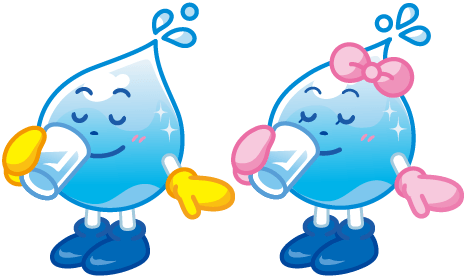

Suiteki-kun and Mizutama-chan introduce the App’s
many convenient features that make everyday life easier!
The Tokyo Water App for the Whole Family
Moving / Disaster Prevention

The Tokyo Water App for the Whole Family
Cashless / Water Bill Payments
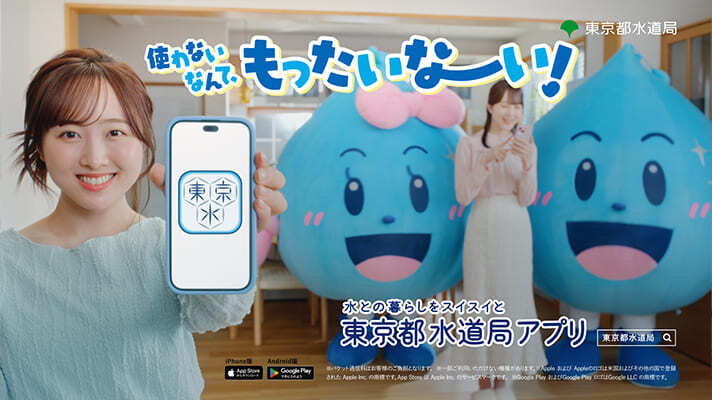
The Tokyo Water App
Be Prepared for Disasters with the Tokyo Water App!
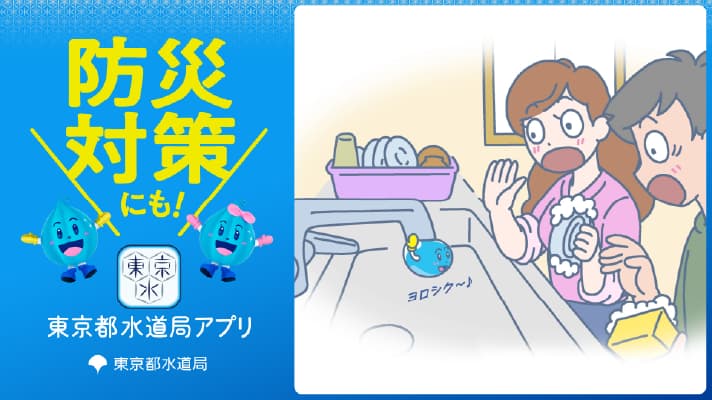
The Tokyo Water App
Join the Many Customers Already Using the App! (2025 Version)
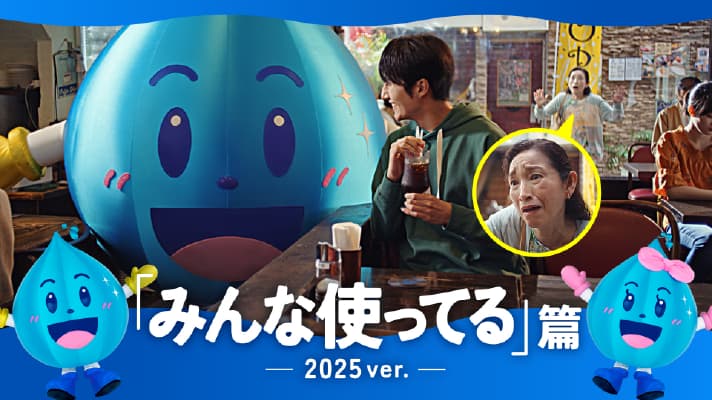
The Tokyo Water App
Water Charges (2025 Version)
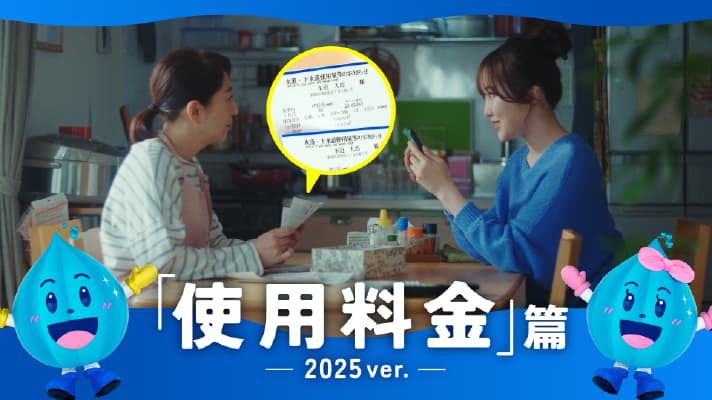
The Tokyo Water App
Disaster Preparedness
The Waterworks Bureau App for the Whole Family
Cashless / Water Bill Payments
The Tokyo Water App
Moving
The Tokyo Water App
Debut Event – October 4, 2022
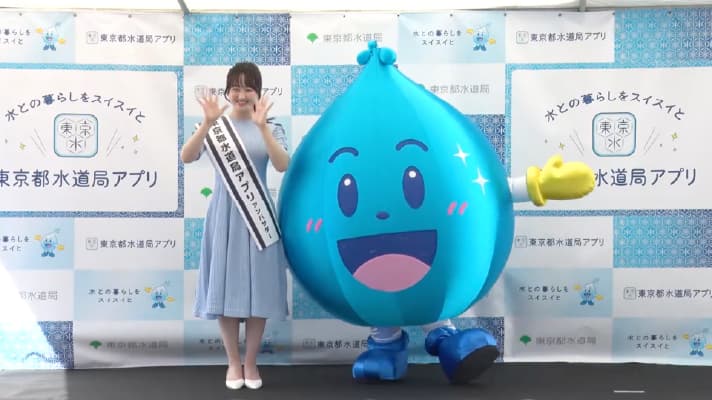


Miyu Honda
Born on June 1, 2004, in Kyoto Prefecture.
She began her entertainment career at the age of three and has appeared in numerous films and television dramas, including Even If All Love Fades (ABC TV), Love Doesn't Matter to Me, and Re: KISARAGI STATION. She is also active as a figure skater.

Sara Honda
Born on April 4, 2007, in Kyoto Prefecture.
In addition to working as an exclusive model for the fashion magazine Ray, she appears at major fashion events and on numerous television programs. She has more than one million followers across her social media platforms. Known for her fresh, radiant image and approachable personality, she has gained a strong following, particularly among Gen Z, and continues to expand her career as a model and television personality.

